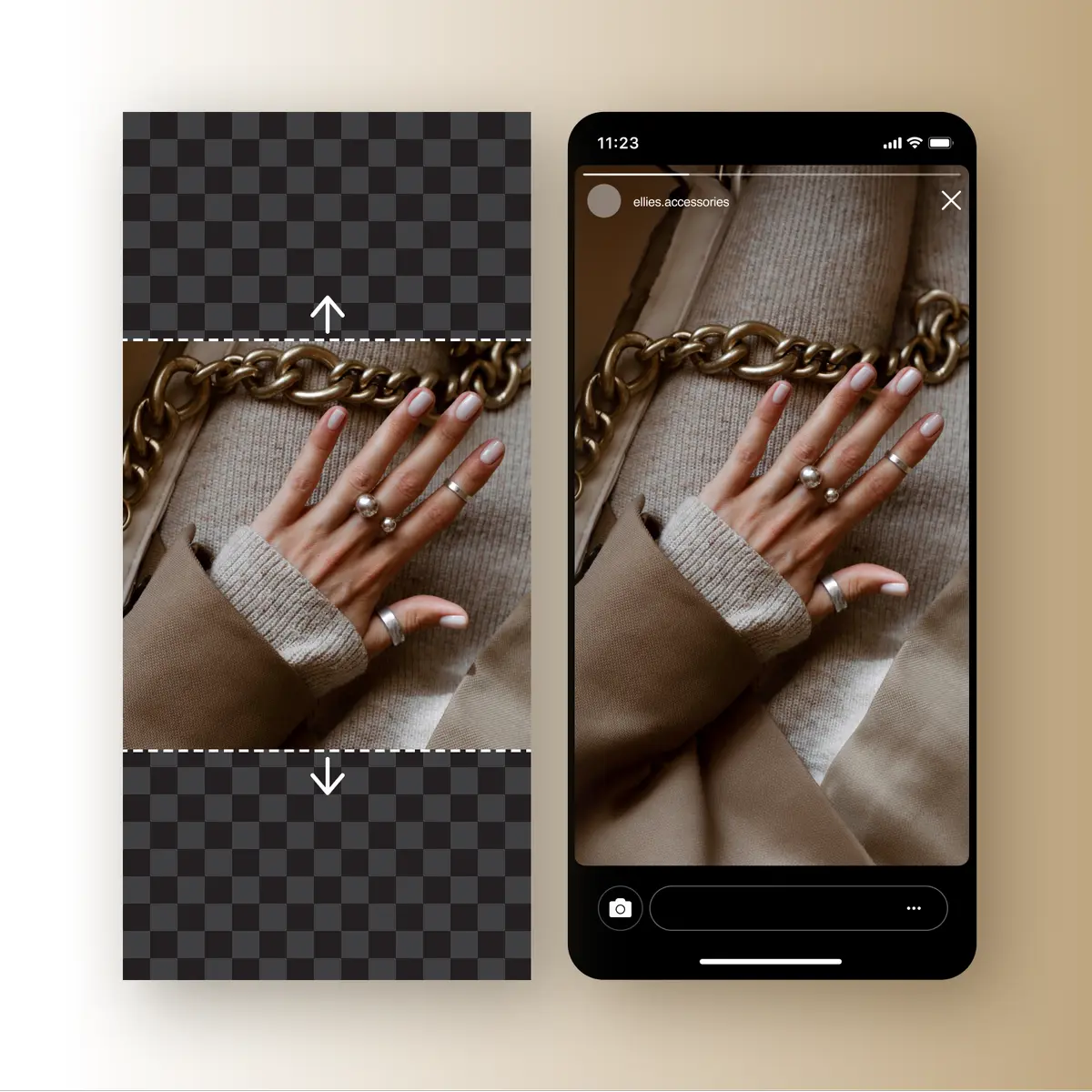
You have a good photo, but the layout needs a wider banner or a taller social graphic. Cropping removes something important. Stretching makes the subject look wrong. Image extension offers another route: keep the useful composition and generate additional surroundings beyond its original boundary.
Quick answer: Choose the target aspect ratio, use a source with a clear subject and coherent background, generate an expanded version, and inspect the new regions for continuity. Outpainting creates plausible new content; it does not recover a verified view of what was outside the camera frame.
Disclosure: this guide introduces our product, AI Image Extender. Interface details were checked on September 18, 2026. Website examples below are illustrative, not independently measured results.
Outpainting adds generated visual content outside an image's existing frame. The added region is intended to fit the surrounding light, texture, and composition. It can help create room around a subject or adapt an image to another shape.
The word “uncrop” can be misleading if interpreted literally. Unless a system has access to the uncropped original, it cannot know exactly what the camera would have captured beyond the image. Treat new scenery as generated, especially when the photo documents a real place or event.
Website illustration of background extension. Generated surroundings should not be treated as recovered factual content.
Website illustration of background extension. Generated surroundings should not be treated as recovered factual content.
If the photo must remain strictly documentary, padding or a different layout may be preferable. If you are producing an illustrative marketing visual, an expanded background may fit the job, provided the subject remains accurate and the generated nature is not misleading.
Aspect ratio describes the relationship between width and height. A square and a widescreen banner can contain the same subject but require very different amounts of background. Picking the destination shape first prevents unnecessary generation and repeated recropping.
For example, turning a 1000 by 1000 square into a 16:9 composition while retaining a height of 1000 implies a width of about 1778 pixels. That calculation explains the additional space required; it is not a claim about the exact output resolution of this tool. Check the downloaded dimensions separately.
Use a clear image with enough visible environmental context for the extension to follow. A simple wall, sky, or tabletop creates a different task from a crowded scene with many intersecting structures. Lines that meet the boundary, such as a horizon or shelf, need to continue convincingly.